

Helpdesk and IT technicians for businesses

IT support for businesses,
remote and in your office.

IT support for businesses in Israel: your employees get a fast answer from a team of engineers, by phone, on WhatsApp or with a ticket. If you want someone in the office you get an ILS Networks technician, a few days a week or full time.

  • Helpdesk for all employees, remotely
  • An on-site technician, for the number of days you need
  • Urgent faults handled 24/7

Want an engineer to call you back?

The first consultation call is free · or message us on WhatsApp

People usually contact us when...

  • Employees wait hours until someone answers
  • Nobody in the office understands computers
  • You pay a technician for every visit
  • The IT person went on holiday, and the whole office is stuck

01 / What we handle

IT support for business: what the helpdesk handles

Everything that stops an employee in the middle of the day. Most requests are solved remotely during the call.

  • U1 Computers and printers

    Faults in computers, printers and office equipment.

  • U2 Users and passwords

    A locked password, permission to a folder, access to a system.

  • U3 Email and Microsoft 365

    Outlook, Teams, OneDrive and mailboxes. Microsoft 365 for business

  • U4 New employees and leavers

    We prepare the user, the computer and the permissions, and close everything when an employee leaves.

  • U5 Software and updates

    Installation, updates and software that stops working.

  • U6 Office network and Wi‑Fi

    No internet, the Wi‑Fi drops, a computer that cannot see the server.

02 / How you work with us

Support according to what your office needs

Some offices are fine with remote support, and some want someone who is there. On the first call we check how many employees there are, how they work and what is in the way, and build the support around that.

Most faults are solved remotely

Remote helpdesk

Employees contact us by phone, on WhatsApp or with a ticket, and an engineer connects and handles it.

  • Support for all employees, from anywhere
  • Every request is opened as a ticket and documented
  • An engineer comes to you when needed

Quote according to what the office needs

Get a quote for ILS Helpdesk →

You want someone responsible for everything

Fully managed IT

Support for employees, plus the servers, the network, the backup and the security, with one team.

  • One place to turn to on every subject
  • A permanent team of engineers who know your systems
  • Urgent faults answered 24/7

Fixed monthly fee · Quote on a call with us

Managed IT →

Have an IT person and want someone to back them up? Co-managed IT

03 / The terms

Support terms

The hours, the response times and the price are set in the service agreement before we start.

Book a consultation call →The first call is free
Regular support
08:00–17:00Israel time
Urgent faults
24/7Around the clock
Contact channels
Phone, WhatsApp and emailImmediate reply on WhatsApp
Tracking
Ticket systemEvery request is opened as a ticket and documented
Technician on site
A few days a week or full timeAccording to what the office needs
Pricing
An individual quoteOn-site technician: by the number of days a week
VIP add-on
Backing from the senior teamWith the helpdesk and with an on-site technician
First consultation call
FreeNo commitment
Service area
All of Israel

04 / How to start

How to start getting IT support

Four steps, from the first call until employees are contacting us.

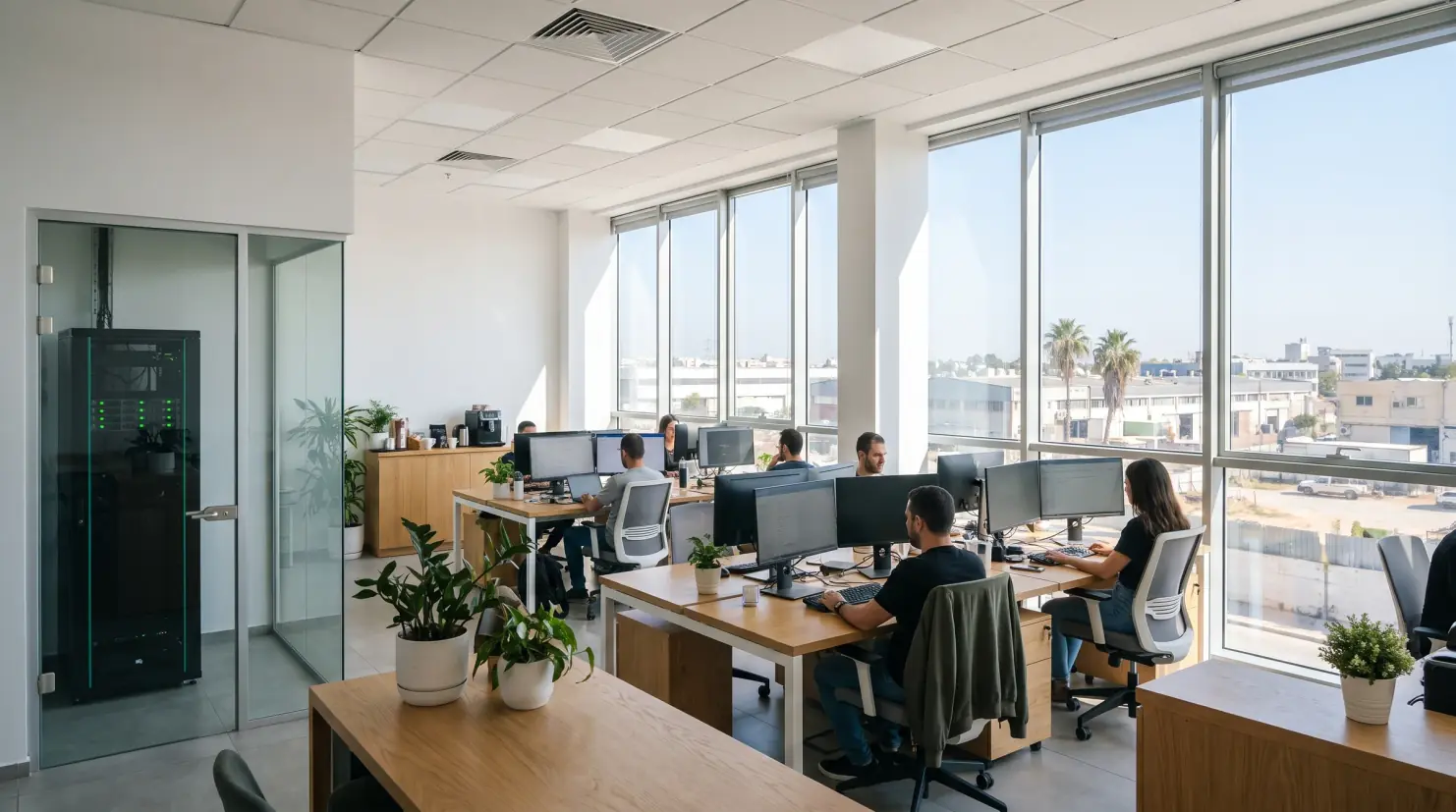
Employees in an open-plan office during the day
  1. Introduction call

    How many employees there are, what is in the way today and how you get support now. Free, with no commitment.

  2. Mapping

    We go over the computers, the users, the printers and the network in the office, and document what there is.

  3. We decide together

    Remote, a few days a week in the office or full time. You get a clear proposal.

  4. We start

    Employees get a way to contact us and open a ticket, and we start handling requests.

From the request to the fix

What happens when you open a helpdesk ticket

Four stages, from the moment an employee contacts us until they are back at work.

  1. You open a ticketBy phone, on WhatsApp or in the ticket system. Every employee can contact us directly.
  2. A technician connects remotelyMost faults, such as a password, email, a printer or software that will not start, are solved without a visit.
  3. When needed, we come to the officeHardware, cabling or a computer that will not turn on are handled at your office.
  4. We close and documentThe ticket is closed only when the employee is back at work, and a record of what was done remains.

Why us

Why choose ILS Networks for IT support

  1. A technician who knows the office

    The same team answers every time, and knows which computer belongs to whom and what has already been tried.

  2. Remotely or at your office

    Most faults are solved over a remote connection. When hands are needed, a technician comes, or sits in your office a few days a week.

  3. Every ticket is documented

    In the ticket system you can see what was opened, who is handling it and what was closed.

Questions about
IT support.

Related services:

What is a helpdesk?

A helpdesk is the support desk employees contact when something on the computer, in the email or with the printer does not work. A technician receives the request, connects remotely and solves it, and comes to the office if needed.

What is the difference between a helpdesk and an IT person in the office?

An IT person in the office is one person who is with you. A helpdesk is a team available by phone and remote connection, with no dependence on one person. The two can be combined: our technician sits in your office a few days a week, with the team behind him.

Can we get a system administrator or IT technician without employing one?

Yes. An ILS Networks technician comes to the office on fixed days or full time, and you do not employ him directly.

What is the difference between a helpdesk and managed IT?

A helpdesk is support for employees: computers, users, email and software. With managed IT we are also responsible for the servers, the network, the backup and the security. You can start with support only.

Can we get a technician who sits in our office?

Yes. An ILS Networks technician can come to you a few days a week or work in your office full time, as needed, and our team of engineers stands behind him.

How much does an on-site IT technician cost?

Every client gets its own quote. For an on-site technician the price depends mainly on the number of days a week, and for the helpdesk on what the office needs. After an introduction call you get a clear proposal, and the first call is free.

What does the VIP add-on include?

With the VIP add-on your requests are also backed by our senior team, engineers with years of experience in enterprise environments. It can be added to the helpdesk and to an on-site technician.

Which is better, an on-site technician or hiring an IT person?

When you hire, everything depends on one person. An ILS Networks technician works with a team of engineers behind them, and you do not need to hire and manage an employee yourselves.

How do employees contact IT support?

By phone, on WhatsApp or by email, and every request is opened as a ticket in our ticket system. The team follows every ticket until it is closed.

What are the IT support hours?

Regular support is between 08:00 and 17:00 Israel time, and urgent faults are handled around the clock.

Which areas do you serve?

All of Israel. Most requests are solved remotely, and an engineer comes to you when needed.

Let’s talk about support in your office.

Tell us how many employees you have and how you get support today. An engineer will get back to you, and the first call is free.

Your details are used to answer the enquiry, under our privacy information.

Talk to us
Call WhatsApp